Predefined Touch Key (ESC)

|
PIP keyboard's Element
For building PIP keyboard only
Similar as Touch Key (TPK)
Predefined as Call Key = "ESC"
|
Predefined Touch Key (DEL)

|
PIP keyboard's Element
For building PIP keyboard only
Similar as Touch Key (TPK)
Predefined as Call Key = "DelLastChar(VP)"
|
Predefined Touch Key (Left)

|
PIP keyboard Element
For building PIP keyboard only
Similar as Touch Key (TPK)
Predefined as Call Key = "Move Cursor Left"
|
Predefined Touch Key (Right)

|
PIP keyboard Element
For building PIP keyboard only
Similar as Touch Key (TPK)
Predefined as Call Key = "Move Cursor Right"
|
Predefined Touch Key (Enter)

|
PIP keyboard Element
For building PIP keyboard only
Similar as Touch Key (TPK)
Predefined as Call Key = "Enter"
|
Predefined Touch Key (Enter)

|
PIP keyboard Element
For building PIP keyboard only
Similar as Touch Key (TPK)
Predefined as Call Key = "CapLock"
|
Predefined Touch Key (char)
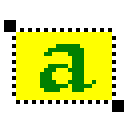
|
PIP keyboard's Element
For building PIP keyboard only
Similar as Touch Key (TPK)
Predefined as Call Key = "Con(Buff, Cap/Norm(Byte0/Byte1"
"Value" should be assigned for the key input
|
Example01
| Value
|
CapLock input
|
Normal input
|
Descriptions
|
| 0x4161
|
A
|
a
|
Value(Hi) = 0x41 ="A"; Value(Lo) = 0x61 ="a"
|
| 0x4262
|
B
|
b
|
Value(Hi) = 0x42 ="B"; Value(Lo) = 0x61 ="b"
|
| 0x4363
|
C
|
c
|
Value(Hi) = 0x43 ="C"; Value(Lo) = 0x61 ="c"
|
| 0x2131
|
!
|
1
|
Value(Hi) = 0x21 ="!"; Value(Lo) = 0x31 ="1"
|
| 0x4032
|
@
|
2
|
Value(Hi) = 0x40 ="@"; Value(Lo) = 0x32 ="2"
|
| 0x2333
|
#
|
3
|
Value(Hi) = 0x23 ="#"; Value(Lo) = 0x33 ="3"
|
Example 02 (for the keyboard without CapLock)
| Value
|
CapLock input
|
Normal input
|
Descriptions
|
| "4"
|
Invalid
|
4
|
Value(Hi) = 0x00 = invalid; Value(Lo) = 0x34 ="4"
|
| "5"
|
Invalid
|
5
|
Value(Hi) = 0x00 = invalid; Value(Lo) = 0x34 ="4"
|
| "6"
|
Invalid
|
6
|
Value(Hi) = 0x00 = invalid; Value(Lo) = 0x34 ="4"
|
| "P"
|
Invalid
|
P
|
Value(Hi) = 0x00 = invalid; Value(Lo) = 0x50 ="P"
|
| "Q"
|
Invalid
|
Q
|
Value(Hi) = 0x00 = invalid; Value(Lo) = 0x51 ="Q"
|
| "R"
|
Invalid
|
R
|
Value(Hi) = 0x00 = invalid; Value(Lo) = 0x52 ="R"
|



